Six reboots and one brass standoff
Why the new server restarted six times at every start, how I narrowed it down, and the piece of brass that caused it.
Jupiter has run since 9 October with all eight memory channels at 2400 MT/s, 256 GB in total, and it starts once when I switch it on. The evening before, it did neither. One memory slot never showed up, two others came and went, and every start went through six restarts before the machine got anywhere. The cause was a small piece of brass that took a minute to remove. Finding it took longer, and how I found it is the part worth telling.
A rack-server board in a desktop case
The board came out of a rack server. Its identity record, which the management chip reports, reads “Board Product MZ01-CE2-GO” and “Product Name G431-MM1-GO”: it was built into a Gigabyte G431-MM1, and its firmware is that server’s variant. I put it into an NZXT H5 Flow, a desktop case I bought used for €50.
Server boards expect to run without a screen, and this one more or less has to. Its only video output is VGA, and the Radeon card shows nothing until Linux runs, because the board sends its setup screen to its own small graphics chip. What makes up for that is the management chip, a small computer on the board with its own network port. From my desktop I can switch jupiter on and off, use its web interface and read its event log, which records what the firmware saw at each start. That log is where the fault first showed.
Six restarts at every start
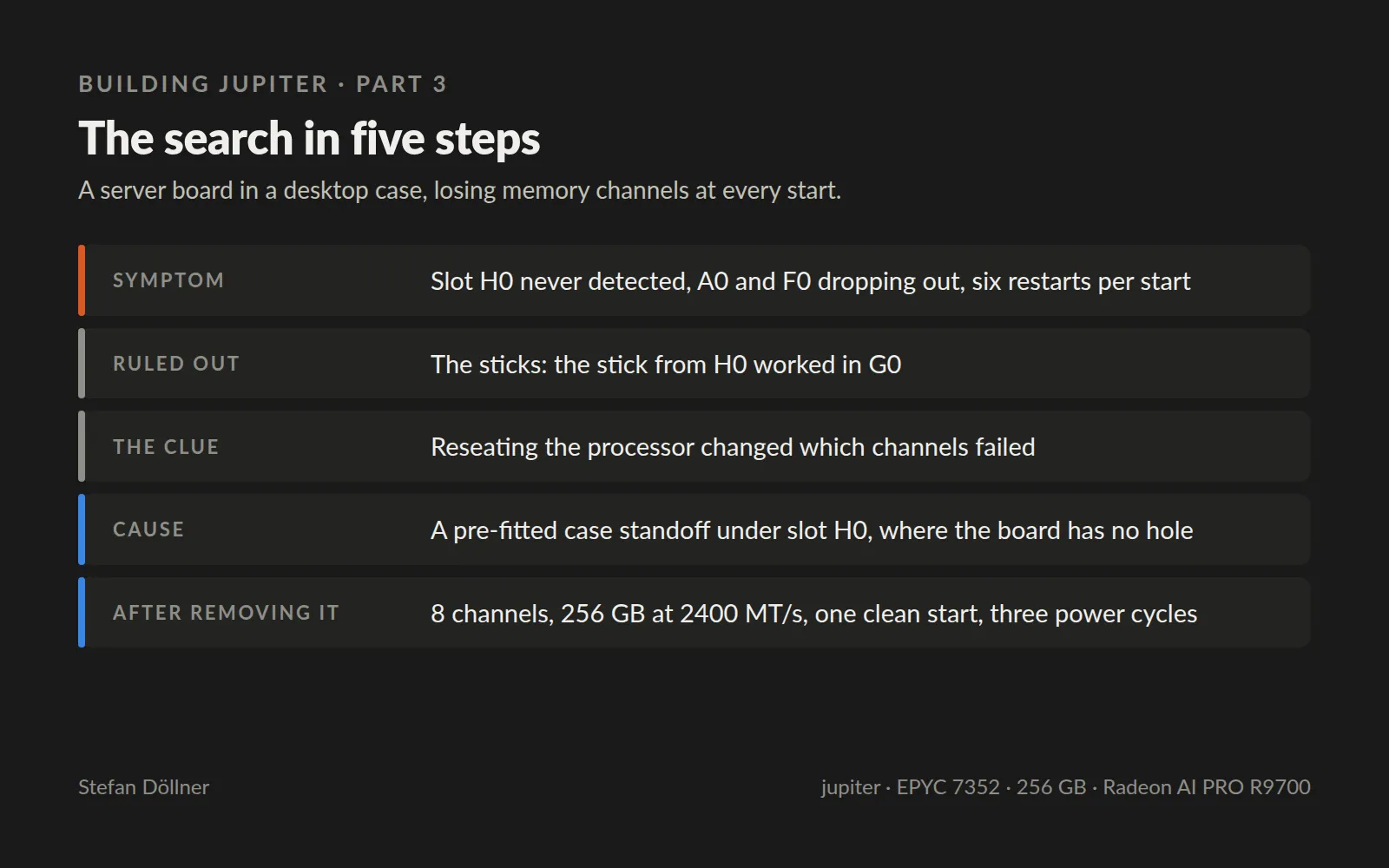
The fault had three parts. The board never detected the stick in slot H0, whatever stick I put there. The sticks in A0 and F0 dropped in and out between starts, and each time the event log recorded “Memory Device Disabled”. And every start went through six restarts in a row while the board trained its memory, the step in which the processor tests each channel and tunes its timing to the stick in it.
The board has exactly one slot per channel, so a missing slot is a missing channel. A missing channel costs an eighth of the memory bandwidth, and bandwidth is what the whole machine was bought for. Running on seven channels was not an option.
What I ruled out
The first suspect was the memory, because it came from a private seller and I could not test it before paying. I moved the stick from H0 into G0, and it worked there. So the sticks were fine, and the fault stayed with the slot.
The next suspect was the processor. On this socket the memory channels run through pins under the processor, and a processor that is not pressed down evenly can lose contact on some of them. I took it out, put it back and tightened the socket again in the order and to the torque it requires. The fault did not go away, but it changed: now other channels dropped out than before.
That was the clue. A bad stick, a bad slot or a bad memory controller fails the same way every time. A fault that moves when you press on the hardware comes from pressure, contact or something touching where it should not. So I stopped swapping parts and took the board out of the case.
The piece of brass
Desktop cases come with standoffs already screwed in: small brass spacers that hold the board above the metal tray, at the positions where consumer boards have their mounting holes. A server board has its holes elsewhere. One of the case’s standoffs sat right under slot H0, where the board has no hole, so the bare brass pressed against the back of the board under that memory slot. Whether it shorted something or only bent the board a little, I cannot say. Both fit what I saw, including the way the fault moved when I put pressure on the socket.
With that standoff removed, the board detected all eight sticks at 2400 MT/s, 256 GB in total and 247 GiB usable in Linux, and it started once, without the six restarts. I switched it off and on three more times to be sure, and it came up the same way each time.
One setting the search left behind
After a reset of the firmware settings during the build, simultaneous multithreading was switched off, so Linux saw 24 threads instead of 48. Nothing fails when that happens, which makes it easy to miss. I switched it back on under AMD CBS, CPU Common Options, Performance, CCD/Core/Thread Enablement. One look at the thread count after the reset would have caught it.
What carries over
Before a server board goes into a desktop case, compare every pre-fitted standoff with the board’s holes and take out the ones that have no hole above them. It takes five minutes.
The lesson I would take into any system is about method. Swapping parts finds faults that stay put. When the symptoms change every time you touch something, the fault is in how things are put together, and that is where to look. Software works the same way: a failure that moves when you add a log line or change the timing points at a race, not at the line where it shows up.
Next week: the fans. The board’s firmware still thinks it sits in the rack server, and it runs every case fan at full speed.